

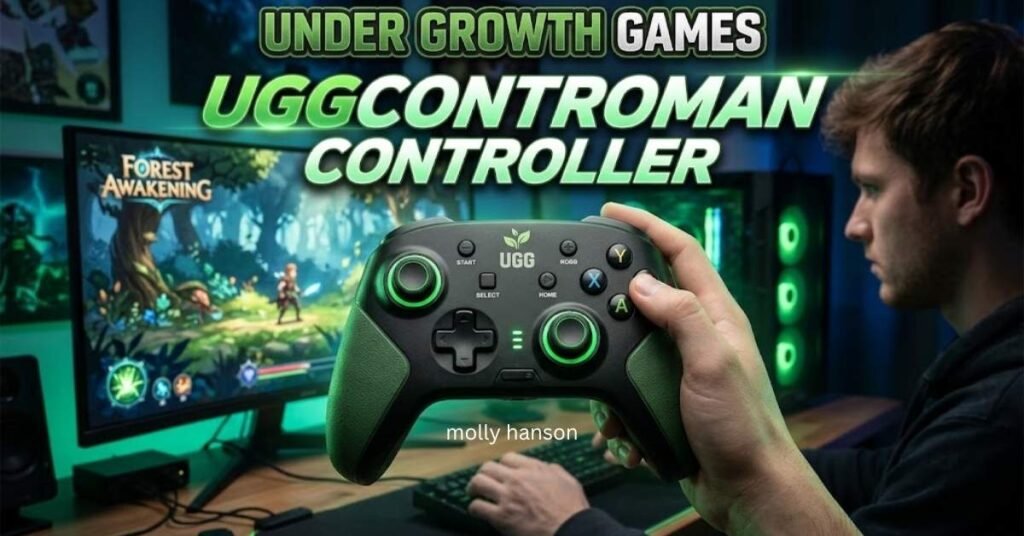
You searched for the UGGControMan controller and found a pile of pages that all sound confident. Some praise its precision. Some list exact specs. Very few show a store link, a manufacturer page, or a real hardware test.So here is the quick answer. UGGControMan is a name used online for a customizable gaming controller linked to “Under Growth Games.” Pages describe button remapping, sensitivity settings, and a comfortable grip.
But as of November 2026, no official maker page, major retailer listing, or independent review could be confirmed in my research.This guide explains what is reported, what is not proven, and how to protect yourself before you spend money or download anything.
What Is the Under Growth Games UGGControMan Controller?
The UGGControMan controller is described by several websites as a custom gaming controller from a brand called Under Growth Games. Most of these pages talk about precision, response time, and personalized settings. They present it as a tool for players who want more control than a standard gamepad gives them.
Here is the catch. Many of these pages repeat the same ideas in slightly different words. A few read like auto-spun content, with odd phrasing and generic claims about “growth simulation” games. That is a warning sign when you are judging a product.
So treat the controller as a reported product, not a proven one. That one habit will save you time and money.
Why Are Gamers Searching for UGGControMan?
People search this name for three simple reasons. They want a controller that adapts to them, not the other way around. They also want an edge in competitive play and comfort that lasts.
Curiosity plays a part too. A new, unfamiliar brand name makes people ask, “Is this real, and is it good?” Let’s look at the three main pulls.
1. Greater Control Over Button Layouts
Button remapping is the top reason. Gamers want to move actions to buttons they can reach faster. This helps with awkward default layouts, accessibility needs, and games that ask for quick combos.
Reported UGGControMan pages mention custom button mapping and, in some cases, back paddles. Paddles let you press extra inputs without lifting your thumb off the analog stick. If the controller really offers this, it would be a real plus for shooters and action games.
2. Sensitivity Adjustments
The second pull is sensitivity tuning. Players want to change how fast the stick responds and how big the deadzone is. A smaller deadzone reacts sooner. A larger one filters out stick drift.
Sources also mention trigger sensitivity, meaning how far you press before the game reads an input. Faster triggers can help in racing and shooting games. Exact numbers vary from page to page, so treat them as claims until a maker confirms them.
3. Comfort During Longer Gaming Sessions
Comfort matters more than most people admit. A bad grip causes hand fatigue in about an hour. A good ergonomic design lets you play longer with less strain.
Pages about this controller highlight a comfortable grip and a balanced shape. That is common marketing for any gaming peripheral. Only hands-on reviews can tell you if the shape suits small, medium, or large hands.
UGGControMan Controller Features: What Is Reported?
Across the pages I reviewed, the same feature set keeps showing up. None of it comes with an official spec sheet, so read this list as “reported,” not “confirmed.”
- Customizable button mapping for different play styles
- Adjustable sensitivity for sticks and triggers
- Deadzone settings to reduce unwanted drift
- Multiple control profiles saved for different games
- Back paddles with adjustable trigger points (claimed by some pages)
- Wired and wireless modes with USB charging
- Vibration feedback and ergonomic grip
- A companion app for settings (claimed by some pages)
Notice the pattern. Features like profiles, mapping, and sensitivity match what premium controllers such as the Xbox Elite Series 2 or DualSense Edge already offer. That makes the claims believable in theory. It does not make them true for this brand.
Reported Claims vs. What Can Be Verified
This table separates marketing language from checkable facts. It is the fastest way to judge any unknown controller.
| Claim Seen Online | Can It Be Verified? | What To Look For |
| Custom button mapping | Not confirmed | Manual, app screenshots, video demo |
| Up to 3 onboard profiles | Not confirmed | Official product page |
| Adjustable paddle actuation | Not confirmed | Spec sheet with measurements |
| Works on PC and consoles | Not confirmed | Compatibility list from the maker |
| Companion app on iOS and Android | Not confirmed | App store listing with a developer name |
| Low input latency | Not confirmed | Independent latency testing |
Different pages also disagree on small details, such as default settings and profile counts. When sources contradict each other, that usually means nobody is working from a real manual.
How Controller Customization Can Improve Gameplay
Customization is real and useful, even if this specific product is unproven. Established brands and tools like Steam Input and the Xbox Accessories app prove it. Here is how it helps in practice.
Better Button Placement
Default layouts are built for the average player. You may not be average. Moving jump, reload, or ability buttons to easier spots cuts reaction time and finger stretching.
Remapping also helps players with limited hand mobility. This is one of the strongest arguments for customizable controllers.
More Consistent Aiming
Aiming depends on how your stick curve and deadzone behave. Lower sensitivity gives finer control at long range. Higher sensitivity helps with fast turns.
Small changes make a big difference. Adjust one setting at a time, then test it in a training mode. That way you know which change helped.
Control Profiles for Different Games
A racing game, a shooter, and a farming sim do not need the same setup. Profiles let you save separate layouts and switch fast.
Steam Input does this on PC for almost any controller. That is a free way to test your ideal setup before buying new hardware.
A More Comfortable Grip
A shaped grip and well-placed buttons reduce wrist strain and thumb fatigue. Weight matters too. A controller that feels light in the first ten minutes can feel heavy after two hours.
If comfort is your main goal, hold a controller in a store before buying. No online description replaces that test.
Is the UGGControMan Controller a Real Product?
Honest answer: it cannot be confirmed right now. I found no official manufacturer website, no listing on a major retailer, and no independent hardware review from a trusted gaming outlet. One site that looked into it also noted that the product does not appear in verified manufacturer registries or established peripheral databases.
That does not prove it is fake. It could be a small, new, or regional brand. But it does mean you should not trust spec claims, prices, or download links on faith.
Here are clear signs a product may be unreliable:
- No official website with a company name and contact details
- Copy that repeats across many unrelated domains
- Exact specs with no manual, photos, or test results
- No presence on Amazon, Best Buy, Steam hardware, or similar retailers
- Download links for “controller software” from unknown pages
Under Growth Games vs. Undergrowth Games
This is where many readers get confused. “Under Growth Games” looks a lot like “Undergrowth Games,” and that name appears in several real, unrelated places.
Here are a few real examples I found:
- Empires of the Undergrowth is an ant-themed strategy game by Slug Disco Studios, a UK indie studio. It is published with Hooded Horse and reached full release in June 2024.
- Undergrowth is a farming and survival game project from Hyper Salt Interactive, listed on indie platforms.
- Several other small projects use “Undergrowth” in their titles on itch.io.
None of these listings mention a controller. That matters. A game studio name sharing a few letters with a controller brand is not proof of a link. Do not assume a real game studio makes or backs a product just because the names look close.
Is UGGControMan Compatible With PC, PlayStation, Xbox, or Mobile?
No official compatibility list exists that I could confirm. Some pages claim it works on PC, consoles, and phones through Bluetooth or USB-C. Others stay vague.
So here is what you should know in general, before any purchase.
- PC: Most modern controllers work through XInput or DirectInput, and Steam Input fills many gaps.
- Xbox and PlayStation: Console support often depends on licensing and authentication. Check the console maker’s accessory rules.
- Mobile: Bluetooth controllers usually work with Android and iOS, but game support varies by title.
Always ask the seller for a written compatibility list. If they cannot give one, that tells you something.
How to Choose the Right Gaming Controller
Forget the brand hype. Use a simple checklist that works for any controller.
- Check platform support. Make sure it works with your PC, console, or phone.
- Pick wired or wireless. Wired gives lower latency. Wireless gives freedom.
- Test the grip. Size and weight affect long sessions.
- Look at the sticks and triggers. Many players prefer Hall effect sticks because they resist drift.
- Review the software. Good apps are easy to use and come from a named developer.
- Read warranty and return terms. A real seller stands behind the product.
- Compare with trusted options. Xbox Wireless Controller, DualSense, Nintendo Switch Pro Controller, and 8BitDo models set a useful baseline.
If a lesser known controller costs less than these but promises premium features, ask why.
Is the UGGControMan Controller Worth Buying?
Right now, I would say no, not until it is verified. The reported features sound fine, but they are not unusual. They are also not backed by an official page or independent tests.
You can get button remapping, profiles, and sensitivity control from established controllers with clear warranties. That is a safer way to get the same benefits.
Reconsider only if the seller shows a real company name, a return policy, clear photos, a manual, and honest reviews from verified buyers. Without those, skip it.
Safety Tips Before Buying or Downloading Controller Software
Unknown brands attract scams. Follow these rules every time.
- Never download software from unofficial pages. Fake controller drivers can carry malware.
- Use a secure payment method. Credit cards and PayPal offer chargeback protection.
- Check the domain. Look for a real “About” page, contact email, and business address.
- Search the brand name with “reviews” and “scam.” Read what others report.
- Look for FCC or CE markings on wireless gear sold in your region.
- Scan every file with trusted antivirus software before opening it.
- Avoid giving extra data. A controller app should not need your banking details or full contacts.
If a deal feels rushed, with a countdown timer or “last stock” pressure, walk away.
Conclusion
The Under Growth Games UGGControMan controller is a name worth understanding, not a product worth trusting yet. The idea behind it, a customizable controller with remapping, sensitivity tuning, and a comfortable grip, is solid. The proof for this particular product is missing.
Use the features as a shopping checklist, not as a reason to buy. Pick a controller with a verified maker, clear compatibility, and a warranty. If UGGControMan later gets an official page and honest reviews, you can look again.Have you tried a customizable controller? Share which settings helped you most in the comments.
FAQs
1. What is the Under Growth Games UGGControMan controller?
It is a customizable gaming controller reported online under the Under Growth Games name. Its features and maker have not been officially confirmed.
2. What features does the UGGControMan controller offer?
Pages report button remapping, sensitivity and deadzone settings, profiles, and an ergonomic grip. None of these claims come with an official spec sheet.
3. Is the UGGControMan controller officially available to buy?
I could not find an official store or major retailer listing. Treat any seller with caution until a verified source appears.
4. Does UGGControMan work on PC?
Some pages say yes, but there is no official compatibility list. Most standard controllers work on PC, so ask the seller for proof.
5. Is UGGControMan compatible with PlayStation or Xbox?
This is unconfirmed. Console support often needs licensing, so check the console maker’s rules before buying.
6. Can you customize UGGControMan button settings?
Reported sources say yes, through onboard controls or a companion app. Verify this with a manual or video demo first.
7. Can a customizable controller improve gaming performance?
Yes, it can help with comfort, button access, and aim consistency. It will not replace practice or fix poor game settings.
8. Is UGGControMan better than a standard gaming controller?
There is no independent test to prove it. Established controllers with warranties are the safer choice.
9. Is it safe to download UGGControMan software?
Only if it comes from a verified official source. Unknown download pages can carry malware, so scan every file.
10. What should you check before buying UGGControMan?
Check for an official website, a real company name, return terms, a manual, and independent reviews. Pay with a protected method.

Arthur Whitmore is a passionate grammar enthusiast and language writer at Hexobrust.com. He creates clear, helpful content on grammar, spelling, and everyday English to make learning simple and enjoyable.
